
30 September 2026 · info.fixtechsolution@gmail.com
How to Check K-Electric Bill Online by Account Number
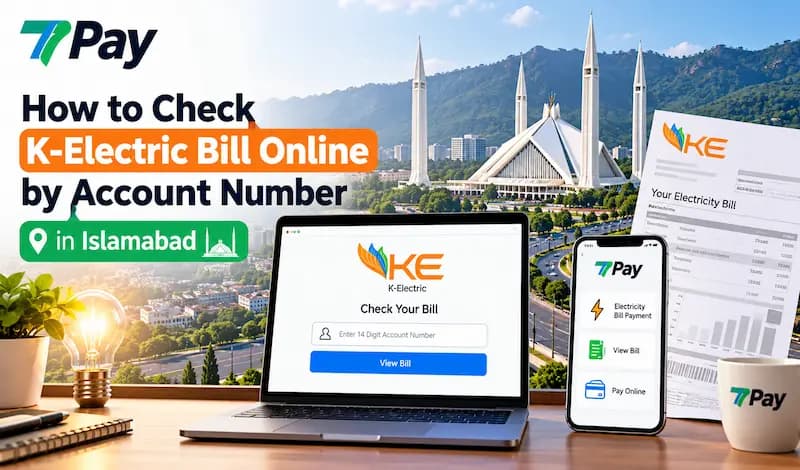
Hunting for a paper bill every month is a hassle. With K-Electric bill online by account number, you can see your current electricity bill, the bill amount and the bill due date in seconds. This guide shows the exact steps, and how 7Pay helps you check and pay without stress.
What Is K-Electric Bill Online by Account Number?
Checking K-Electric bill online by account number is the fastest way to see your K-Electric electricity bill without waiting for delivery. You enter your account number, and the system shows your current electricity bill, bill amount and due date. It works for any K-Electric customer account in Karachi and nearby service areas.
Why people prefer it:
- Instant access at any hour, from any phone or computer
- A clear K-Electric online bill that matches your paper copy
- Easy access to your monthly electricity bill history
- A quick KE bill online view when the paper slip is missing
- No queue and no trip to a payment counter just to see what you owe
Where to Find Your K-Electric Account Number
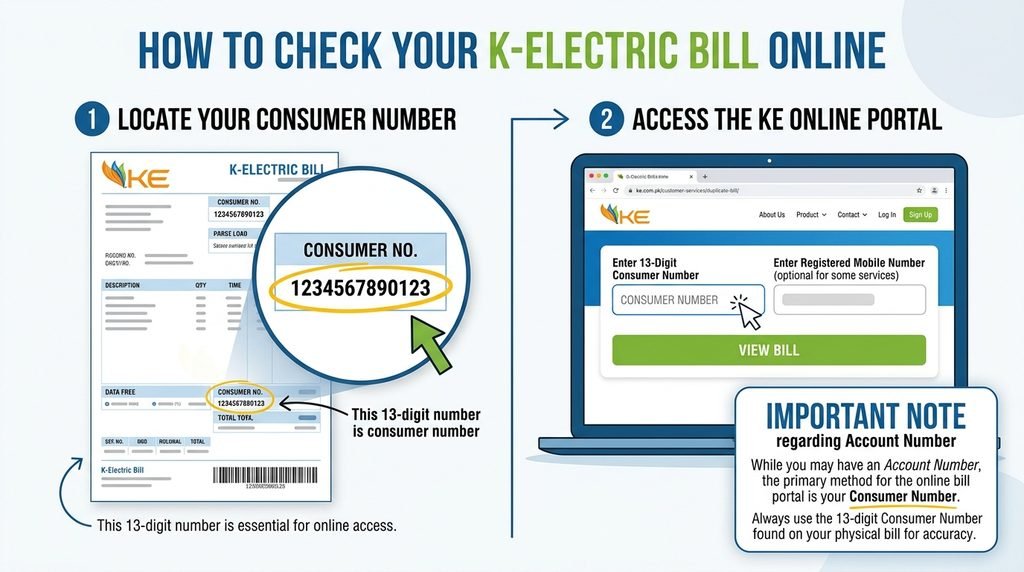
Your K-Electric account number is printed on every monthly electricity bill. It may appear as “account number” or “contract account number” near the top of the page. Many customers simply call it the KE account number.
Together with your name and address, it forms your consumer information. Think of it as the electricity bill reference information that identifies your connection. You need it for every online bill check.
If the paper bill is gone, look here:
- An older bill from a previous month
- A photo or SMS saved on your phone
- A family member or landlord who pays the bill
- Your connection or meter documents
Tip box: Save your account number in your phone notes. You will use it again next month.
How to Check K-Electric Bill Online by Account Number Step by Step
The quickest way to check K-Electric bill online by account number is to use a trusted platform on your phone. It takes about a minute once your number is ready.
- Keep your account number in front of you.
- Open the electricity bill section on your chosen platform.
- Select K-Electric as your electricity provider.
- Type the account number carefully and submit it.
- Review the billing month, bill amount and bill due date.
- Save, download or pay the bill.
Double-check before you submit
One wrong digit can show another customer’s details or return no result. Always match the name and address on screen with your own. This small online bill verification step prevents paying the wrong account.
K-Electric Bill Check Online with 7Pay
7Pay brings your utilities into one clean app, so K-Electric bill check online takes only a few taps. Open 7Pay or choose electricity, select K-Electric and enter your account number. That is how you check K-Electric bill online by account number and view your K-Electric billing information in one place.
It is a simple K-Electric bill check that also works as an online electricity bill check for any month. You can even repeat your KE bill check online whenever a new cycle starts. For anyone searching for electricity bills online in Pakistan, 7Pay keeps everything on one screen: bill search, digital bill payment and receipts.
Button: Visit 7Pay
K-Electric Bill Download and Duplicate Bill Guide
A K-Electric bill download gives you a digital file to save, share or print later. It works as a K-Electric duplicate bill when the original is torn, wet or lost. After you check K-Electric bill online by account number, look for the download or save option.
- Fetch your bill using the account number.
- Tap the download button on the bill screen.
- Save the file on your phone or computer.
- Rename it with the month, for example “Electricity Bill July”.
A saved duplicate electricity bill is also handy for rent agreements, office records or visa paperwork. A folder of monthly files lets you compare units and spot sudden jumps.
K-Electric Bill Print: Get a Clear Copy
Sometimes you need paper, for a landlord, a company file or a tenancy document. Once your K-Electric bill online by account number result is on screen or saved, printing takes a moment. A K-Electric bill print is only useful if every detail is readable.
- Use A4 paper and select “fit to page”
- Confirm the account number and barcode are sharp
- Print in black and white to save ink, unless colour matters
- Check the due date and total on the printout
- Keep one copy for your records
Understanding Your K-Electric Bill Details
Every K-Electric bill online by account number view is split into simple blocks. Knowing what each block means helps you catch mistakes early. These K-Electric bill details mirror the paper version.
- Account number: Identifies your K-Electric customer account
- Consumer information: Your name, address and connection details
- Billing month: The period being charged
- Units consumed: Your electricity use based on meter readings
- Bill amount: The total you need to pay
- Bill due date: The last day to pay without extra charges
- Previous balance: Any unpaid amount carried forward
Electricity Bill Payment Online with 7Pay
Checking is only half the job. With electricity bill payment online through 7Pay, you can settle the amount right after you see it, using your wallet balance or other supported payment methods. You then receive an instant digital receipt.
7Pay is built for everyday money tasks, not only electricity:
- Bill payments: Electricity, gas, water and internet in one place, as an online utility bill hub
- Mobile recharge: Top up any number in seconds
- Money transfers: Send money to family and friends quickly
- Payment receipts: Proof of every transaction saved in your history
- Simple design: Clear screens that first-time users can follow
Explore all services at www.7pay.com.pk.
K-Electric Bill Online by Account Number vs Paper Bill: Comparison Table
Digital checking beats waiting for paper in almost every situation. The table below compares both options side by side.
| Feature | Paper Bill | K-Electric Bill Online by Account Number via 7Pay |
| Access speed | Depends on delivery | Instant with your account number |
| Availability | Only when it arrives | 24/7 on your phone |
| Duplicate copy | Request a copy | Download in seconds |
| Print option | Already printed | Print whenever required |
| Risk of loss | High | Very low, stored digitally |
| Payment | Separate step | Pay in the same app |
| Record keeping | Manual filing | Saved files and history |
| Due date awareness | Easy to miss | Visible before you pay |
Common Problems and Quick Fixes
Most issues have simple causes. Work through this list before you assume something is wrong.
- K-Electric bill online by account number shows no result: Recheck the digits and confirm K-Electric is selected as the provider.
- Wrong name or address: Stop and re-enter the number. Do not pay until the consumer information matches.
- New connection, no bill yet: The first bill may not be generated. Wait for the next cycle.
- Amount looks too high: Compare units with last month, then contact K-Electric customer service using the details printed on your bill.
- Blurry printout: Download the file again and print at normal quality.
Is It Safe to Check Your Bill on 7Pay?
Security matters when money is involved. 7Pay is designed to protect your account and transaction details, and it asks only for what a bill search needs.
Follow these habits too:
- Never share your PIN or OTP with anyone
- Use only the official 7Pay app or www.7pay.com.pk
- Keep your phone software updated
- Log out on shared devices
Smart Habits for Every Billing Cycle
A small routine saves you from late fees and surprise amounts. Pakistan electricity bills can change sharply with weather and usage, so a quick monthly check pays off.
- Check your bill as soon as the new cycle starts.
- Set a reminder a few days before the due date.
- Download and store each monthly file.
- Compare units with the previous month.
- Pay early to stay clear of late charges.
FAQs
1. How do I check K-Electric bill online by account number?
Open a trusted platform such as 7Pay, select K-Electric and enter your account number. Your bill amount, due date and billing month will appear on screen.
2. Where can I find my K-Electric account number?
It is printed at the top of your paper bill. You can also find it on old bills, SMS messages or saved photos.
3. Can I do a K-Electric bill download for a duplicate bill?
Yes. Once the bill is on screen, use the download option to save it. It serves as a duplicate electricity bill for your records.
4. Can I print my bill at home?
Yes. Open the saved file, choose A4 and print. Make sure the account number and barcode are clear.
5. Is the KE account number the same as a contract account number?
Both terms are commonly used for the number that identifies your connection on the bill. Always use the number shown on your own bill.
6. Can I check someone else’s bill?
You can if you have the account number, which helps tenants, landlords and family members. Do it only with the owner’s knowledge.
7. What should I do if the bill amount looks wrong?
Compare the units with earlier months first. If it still looks off, contact K-Electric customer service through the official channels on your bill.
8. Can I pay through 7Pay after checking?
Yes. You can pay right after viewing the amount and receive a digital receipt for your records.
9. Is 7Pay available anytime?
You can open 7Pay whenever you have an internet connection. Processing times can vary, so pay a little before the due date.
CONCLUSION
Using K-Electric bill online by account number saves time, prevents late charges and keeps your paperwork tidy. Find your account number, confirm your consumer information, then view, download or print your bill whenever you need it. With 7Pay, you can do all of that and pay in the same place.
CALL TO ACTION
Check, Download and Pay Your Electricity Bill in Minutes
Skip the paper and the queues. Open 7Pay today and manage your utility bills, mobile recharge and money transfers from one simple app.
Get Started at www.7pay.com.pk