
19 November 2026 · info.fixtechsolution@gmail.com
How to Identify Fake Online Payment Screenshots
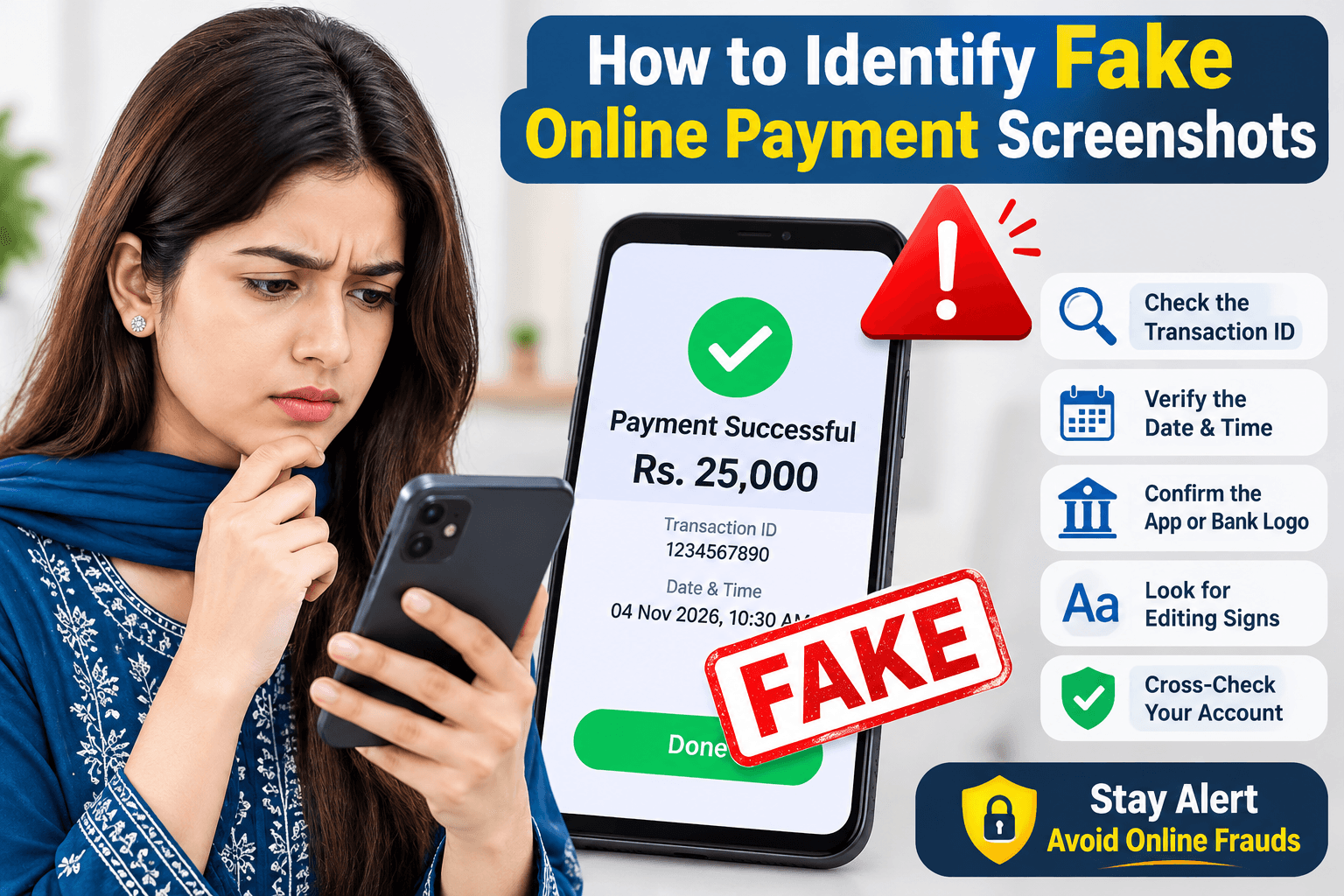
A customer sends a screenshot, says the money has gone through and asks you to ship the order. Before you do, stop and check. Fake Online Payment Screenshots are one of the most common ways shopkeepers and online sellers in Pakistan lose money. This guide explains how to spot Fake Online Payment Screenshots, how to verify a payment properly and how 7Pay fits into a safer payment routine.
What Are Fake Online Payment Screenshots and Why Do They Work?
A screenshot is only an image, and an image can be edited, copied or invented.
Scammers send a picture that looks like a bank or wallet confirmation and hope you will release goods before checking your account. This kind of digital payment fraud works because people are busy, trusting and used to accepting screenshots as proof. In reality, a screenshot is fraudulent payment proof whenever the money has not reached your own account. Online payment fraud in Pakistan often follows this simple pattern, which is why it is common among small sellers, landlords, tutors and freelancers.
Common Types of Payment Scams
Knowing the usual tricks makes them easier to recognize.
- Fake bank transfer screenshot: an image that looks like a completed transfer but never happened.
- Fake transaction receipt: a made-up slip with a transaction ID and amount that do not exist.
- Fake payment confirmation: a message or image that claims a payment is “successful” when it is only pending or never sent.
- Wrong transfer story: the buyer claims to have sent too much and asks for a refund.
- Urgency pressure: the buyer insists you ship now because the payment is “already done.”
These online payment scams change in detail, but the goal is always to make you act before you confirm the money in your own account. Financial scams in Pakistan often rely on the same pressure tactics.
Warning Signs of Fake Online Payment Screenshots
Most fakes have small flaws, and a careful look can reveal them.
- Mismatched details: the name, account number or amount does not match what you agreed.
- Odd layout: fonts, spacing, logos or colours look slightly different from the real app.
- Wrong date or time: the timestamp does not fit the conversation or is in the future.
- Missing or strange transaction ID: it is absent, too short or does not match the usual format.
- Low-quality image: a heavily cropped, blurry or very compressed screenshot that hides details.
- Status problems: wording such as “pending” or “processing” is presented as if it were final.
- No message from your side: you have no bank or wallet notification that matches the screenshot.
- Pressure: the sender rushes you or gets annoyed when you want to check.
No single sign proves a fraud, but several together are a strong reason to stop and verify. Spotting Fake Online Payment Screenshots gets easier once you know these patterns.
Fake Online Payment Screenshots vs Real Payment Proof: Comparison Table
This table shows the difference between a trustworthy confirmation and a risky one.
| Check | Real Payment Proof | Fake or Unreliable Screenshot |
| Where it appears | In your own bank or wallet app | Only in an image sent by the buyer |
| Payment confirmation message | Arrives from your bank or wallet | Missing or forwarded by the sender |
| Transaction ID | Matches your account history | Cannot be found in your records |
| Account balance | Balance has increased | Balance is unchanged |
| Statement | Shows the credit entry | No matching entry |
| Sender behaviour | Patient and open to checks | Pushes you to act immediately |
Use this checklist every time, because a payment is only real once it appears in your own account.
How to Verify Online Payment Step by Step
The safest rule is simple: trust your account, not the screenshot.
- Open your own bank or wallet app and check your account balance verification, looking for a new credit.
- Look for the payment confirmation message sent by your bank or wallet provider, and compare it with the amount.
- Search your transaction history for the sender’s name and the transaction ID.
- Perform transaction ID verification by matching the reference number with the entry in your app.
- Use bank statement verification for larger payments, and check that the credit appears with the correct date.
- Wait for the funds to settle if your provider shows a pending status.
- If anything is unclear, contact your bank’s customer support before you release goods.
This is the simplest way to handle payment screenshot verification and to confirm payment receipt authenticity. Whenever you receive Fake Online Payment Screenshots, do not argue about the image. Just check your account and say politely that you will ship once the money arrives.
Mobile Wallet Payment Fraud
Wallet payments follow the same rules, but they come with a few extra tricks.
Mobile wallet payment fraud often involves a screenshot of a wallet transfer that never reached you, or a “request” message that looks like a payment. Always open your wallet app yourself and check the history, and never rely on a link or image sent to you. Good online banking security habits apply here too, including strong passwords, locked apps and never sharing one-time codes. Treat any suspicious money transfer message with caution, especially if it asks you to confirm or accept something.
The Overpayment and Refund Trick
A common scam asks you to return money you never received.
The buyer says they paid too much, shows a screenshot and asks you to send the extra amount back. If you send it, you lose real money while the original payment never existed. Never refund anything until the funds are visible in your own account and fully settled. If the buyer insists on a refund before you can check, treat it as a red flag.
What to Do If You Have Been Scammed
Quick action improves your chances of limiting the damage.
- Stop all contact except what you need for evidence, and do not send more money.
- Save the screenshots, chat history, phone numbers and payment details.
- Contact your bank or wallet provider immediately and report the fraud.
- Report the incident to the relevant cybercrime authorities in Pakistan.
- Warn your staff or family so that they do not fall for the same trick.
Keeping detailed records helps your bank and the authorities investigate more effectively.
Protecting Your Business
A few simple rules turn a risky habit into a safe one.
- Make it a policy to ship or hand over goods only after the money is visible in your account.
- Record the transaction ID for each order, so you can match it later.
- Teach staff to verify payments in the app, not on a customer’s phone.
- Use direct payment methods, such as links or QR codes you control, and avoid payments to personal accounts you do not recognize.
- Review your statements regularly for anything unusual.
Written rules protect your team from pressure at the counter. Businesses that deal with Fake Online Payment Screenshots every month usually save the most by adopting a strict verify-first policy.
How 7Pay Supports Your Digital Payment Needs
Clear, verifiable payments are easier to manage when you use a platform built for digital transactions.
You can handle bill payments, mobile recharge and other digital payments from your phone, with confirmations that you can check inside your own account. 7Pay does not replace your own checking, but it supports the same principle: rely on confirmed records, not forwarded images. By keeping payments digital and traceable, you lower your exposure to Fake Online Payment Screenshots.
FAQs
1. How can I tell if a payment screenshot is fake?
Check your own account for the money, and look for mismatched details, odd formatting, wrong timestamps and a missing transaction ID.
2. Is a payment screenshot enough proof of payment?
No, a screenshot is only an image, so always confirm the credit in your own bank or wallet app.
3. How to verify online payment safely?
Check your account balance, find the payment confirmation message, match the transaction ID and review your statement.
4. What is a fake bank transfer screenshot?
It is an image that looks like a completed transfer but does not correspond to a real transaction.
5. How do I spot a fake transaction receipt?
Compare the amount, name, date and transaction ID with your account, and look for formatting or timing problems.
6. What should I do if a buyer asks for a refund after sending a screenshot?
Do not refund anything until the money is visible and settled in your own account.
7. Are mobile wallet payments safe from fraud?
They are safe when you verify in your own wallet app and never rely on screenshots, links or requests sent by strangers.
8. What should I do if I already sent goods and the payment was fake?
Save all evidence, contact your bank or wallet provider and report the incident to the cybercrime authorities.
9. Can a bank confirm whether a transfer is real?
Your bank can help you verify credits to your account and review your statement for the transaction.
10. How can I reduce online payment fraud in my business?
Verify payments in your own account, record transaction IDs, train staff and ship only after funds are confirmed.
Conclusion
Spotting Fake Online Payment Screenshots comes down to one habit: never treat an image as proof. Check your own account, match the transaction ID, wait for settlement and ignore pressure. With a verify-first routine and digital payments you can trace, you protect your business and your customers from payment fraud.
Call to Action
Want a safer, simpler way to manage everyday payments? Visit 7pay.com.pk and explore 7Pay’s secure digital payment services, and stay alert to Fake Online Payment Screenshots.