
9 October 2026 · info.fixtechsolution@gmail.com
How to Check Bank Account Balance by CNIC in Pakistan
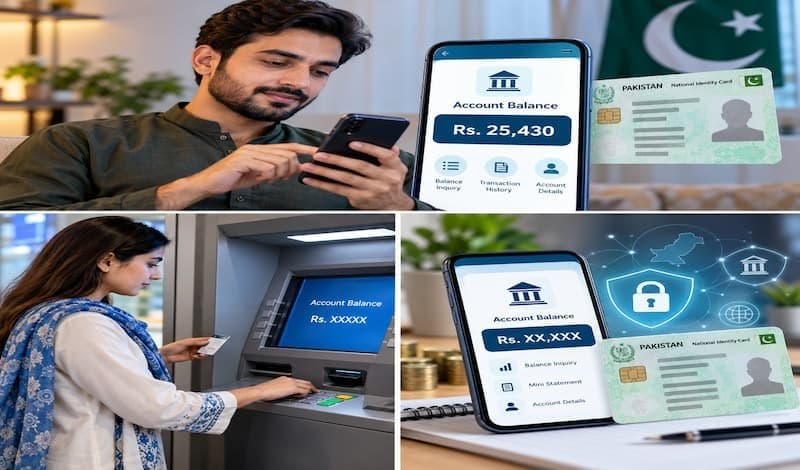
Many people in Pakistan want a fast, reliable way to check bank account balance by CNIC in Pakistan without visiting a branch or standing in line at an ATM. Since your Computerized National Identity Card is linked to your own bank account during the KYC process, it plays a central role in how banks verify you before showing any account information. In this guide, we explain the official, secure ways you can check bank account balance by CNIC in Pakistan, what to expect from each method, and how a platform like 7Pay fits into a safer, more convenient digital banking routine.
Why CNIC Matters for Bank Account Verification
Your CNIC is the foundation of identity verification for every regulated bank account in Pakistan, and it plays a direct role whenever you try to check bank account balance by CNIC in Pakistan.
When you open an account, your CNIC is permanently linked to it as part of the bank’s standard KYC and compliance requirements under the guidance of the State Bank of Pakistan. This CNIC-linked bank account setup is what allows banks to confirm your identity later, whether you are logging into internet banking, calling customer support, or completing a biometric verification step at a branch.
Can You Check Bank Balance Using Only a CNIC Number?
This is one of the most searched questions, and the honest answer is that a CNIC number alone is not enough.
To check bank account balance by CNIC in Pakistan, you also need something that proves the account belongs to you, such as your registered mobile number, a PIN, an app login, or biometric verification at the counter. This layered approach exists specifically to prevent banking fraud and unauthorized access, so no legitimate bank or app will show account details using just a CNIC number typed into a form.
Official Ways to Check Bank Account Balance by CNIC in Pakistan
There are several approved channels that banks offer for checking your balance, each tied back to your CNIC-linked account for identity confirmation.
These include SMS banking, mobile banking apps, ATM balance inquiry, internet banking in Pakistan, and bank helpline support. Each method still requires your own CNIC to be linked to the account you are accessing, which is why understanding this connection is the real key to using any balance inquiry Pakistan option correctly.
SMS Banking and USSD Balance Inquiry
SMS and USSD codes remain one of the simplest ways people check account balance without an ATM card.
Most banks offer a short code you can dial or text from your registered mobile number, which is matched against your CNIC-linked bank account on their system. Within seconds, you typically receive your balance by SMS, making this one of the fastest ways to check bank account balance by CNIC in Pakistan without needing internet access or a smartphone app.
Mobile Banking App Method
A mobile banking app is often the most convenient option for people who want ongoing access to their account.
After registering your CNIC and completing identity verification, the app lets you view your balance, download an account statement inquiry, and manage transfers from one place. This method has grown in popularity because it combines speed with the full range of online banking services in Pakistan, all protected behind a PIN or biometric login.
ATM Balance Inquiry
ATMs remain a widely used option, especially for people who prefer a quick, in-person check without opening an app.
Simply insert your debit card, enter your PIN, and select the balance inquiry option to see your current balance printed or displayed on screen. While this does not require typing your CNIC directly, the card itself is tied to your CNIC-linked account, so the verification still happens in the background.
Bank Helpline for Balance Inquiry
Calling your bank’s customer support line is another accepted method, particularly useful if your card or phone is unavailable.
A representative will usually ask you to confirm your CNIC along with other security details, such as your date of birth or a registered mobile number, before sharing any account balance inquiry Pakistan information. This extra verification step protects your financial account information from being accessed by anyone other than you.
Comparison Table of Balance Check Methods
Here is a quick side-by-side look at the main ways to check your balance.
| Method | Requires | Speed | Best For |
| SMS/USSD Banking | Registered mobile number | Instant | Checking balance without an ATM card |
| Mobile Banking App | App login, CNIC verification | Instant | Frequent balance and statement checks |
| ATM Inquiry | Debit card and PIN | Instant | In-person, no internet needed |
| Bank Helpline | CNIC and security details | A few minutes | When card or phone is unavailable |
Each method ultimately depends on your CNIC-linked bank account being properly registered, which is why CNIC verification for bank accounts matters so much across every channel.
How to Check Bank Account Details Using CNIC Safely
If you are trying to check bank account details using CNIC, always go through official bank verification channels rather than third-party websites or unofficial apps.
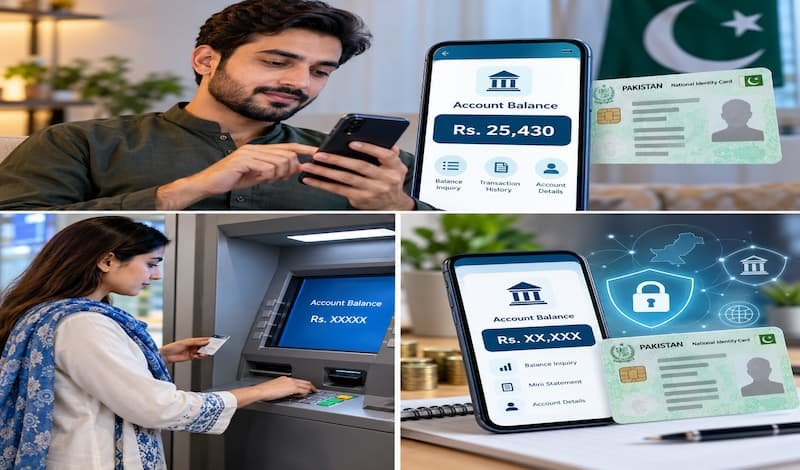
Legitimate banks will never ask you to share your full CNIC, PIN, and OTP together through an unverified link or message. Following this simple rule protects your financial account information and helps you check bank account balance by CNIC in Pakistan without exposing yourself to scams or identity theft.
Security Tips to Prevent Banking Fraud
Protecting your account takes more than just knowing the right method, it also means practicing safe habits every time you check your balance.
- Never share your CNIC, PIN, or OTP with anyone claiming to be from your bank over the phone.
- Only use official bank apps and verified SMS/USSD shortcodes.
- Enable biometric verification for bank accounts wherever it is offered.
- Regularly review your account statement inquiry for any unfamiliar activity.
- Report lost cards or suspicious messages to your bank immediately.
These habits make it far harder for anyone to misuse your CNIC-linked bank account, even if your CNIC number alone becomes known to someone else.
How 7Pay Supports Secure Digital Banking
Beyond checking your balance, many people in Pakistan are also looking for a simple way to manage day-to-day digital payments securely.
This is where 7Pay comes in, offering a user-friendly platform for bill payments, mobile recharge, and digital money management, all built with a strong focus on account security. While 7Pay does not replace your bank’s official balance inquiry Pakistan channels, it complements them by giving you a secure, convenient space to manage your everyday digital banking services from your phone.
FAQs
1. How to check bank account balance by CNIC online in Pakistan?
You can check your balance by logging into your bank’s mobile app or internet banking portal, both of which verify your identity using your CNIC-linked account.
2. Can I check my bank balance using my CNIC number alone?
No, a CNIC number alone is not enough. You also need your registered mobile number, PIN, or biometric verification to confirm the account is yours.
3. How can I find bank accounts registered against my CNIC?
You can request this information directly from your bank or through the State Bank of Pakistan’s approved verification channels, using proper identity confirmation.
4. How to check bank account details using CNIC in Pakistan?
Use official bank channels such as the mobile app, SMS banking, or the bank helpline, where your CNIC is verified alongside other security details.
5. How to verify a bank account with CNIC online?
Most banks allow CNIC-based verification during app registration or internet banking login, paired with OTP confirmation for added security.
6. How to check bank balance without an ATM card in Pakistan?
SMS banking, USSD codes, and mobile banking apps all let you check your balance without needing a physical ATM card.
7. Is it safe to check bank account balance by CNIC in Pakistan through SMS?
Yes, as long as you use your bank’s official shortcode and the message comes from your registered mobile number linked to your account.
8. What should I do if someone asks for my CNIC and PIN together?
Never share both together. Legitimate banks only ask for the specific detail needed to verify a particular step, not your full account access at once.
9. Can I check my balance through a bank helpline?
Yes, after confirming your CNIC and additional security details, a bank representative can help with your balance inquiry Pakistan request.
10. Does 7Pay show my bank account balance directly?
7Pay focuses on digital payments like bill payments and mobile recharge, while balance checks should always go through your bank’s official verification channels.
Conclusion
Knowing how to check bank account balance by CNIC in Pakistan the right way protects both your convenience and your financial security. Whether you prefer SMS banking, a mobile app, an ATM, or a quick call to the helpline, every method relies on your CNIC-linked bank account and proper identity verification working together. Staying alert to scams and sticking to official channels ensures you can confidently, every single time.
Call to Action
Want a simple way to manage your everyday digital payments alongside your banking? Visit 7pay.com.pk and experience secure, convenient digital banking services today.