
4 November 2026 · info.fixtechsolution@gmail.com
How to Transfer Money Using Internet Banking
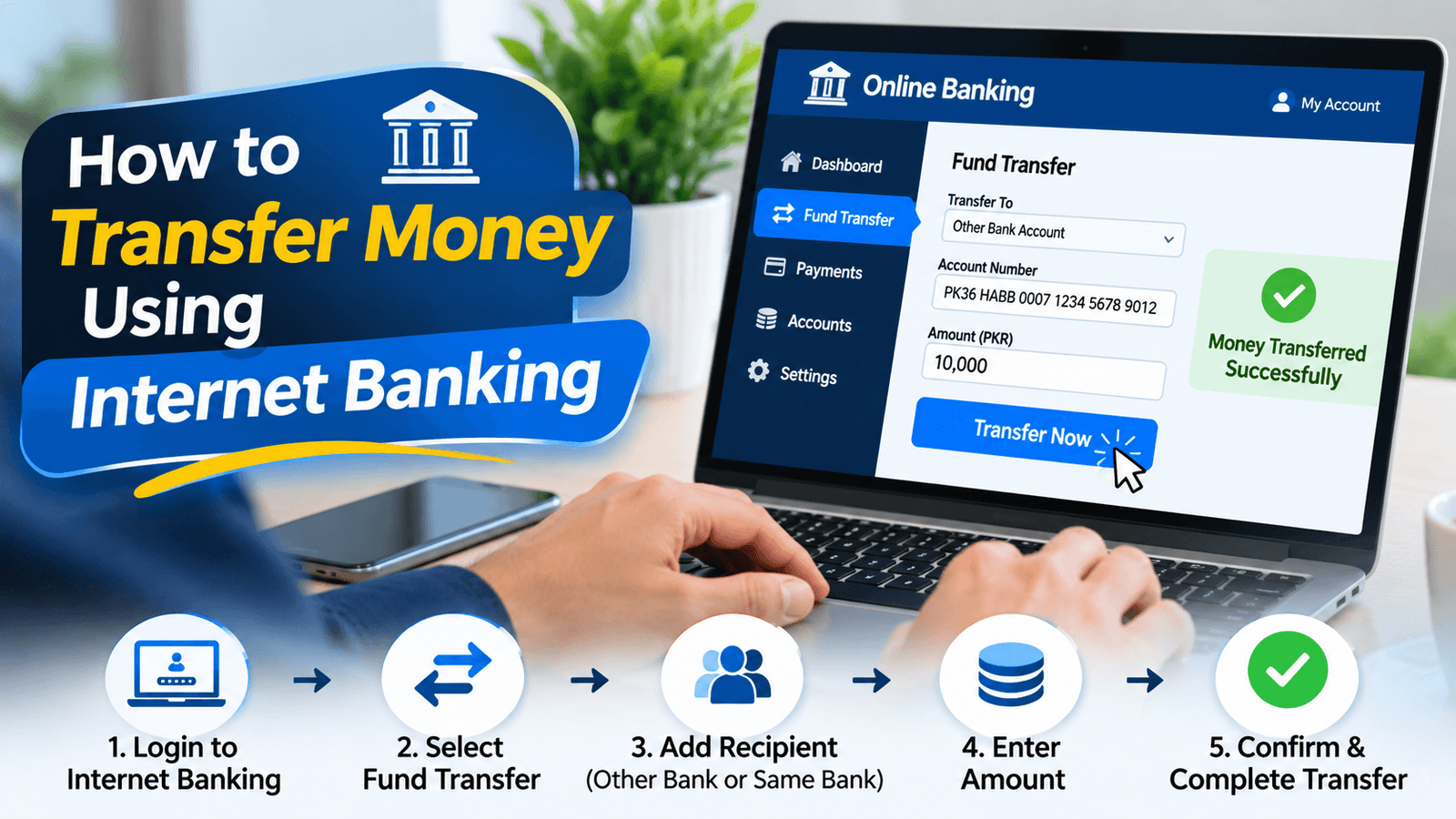
Sending money no longer means standing in a branch queue. With a few taps or clicks, you can move funds to a friend, a supplier or your own second account in minutes. This guide shows you how to Transfer Money Using Internet Banking, from your first login to checking your receipt, and explains how a platform like 7Pay fits into your wider digital payment routine. If you have ever wondered how to Transfer Money Using Internet Banking safely and without surprise charges, the steps below will walk you through it.
What Is an Internet Banking Money Transfer?
An internet banking money transfer lets you move funds from your account to another account through your bank’s secure website.
It is one of the most common online banking services, and it works for both your own accounts and accounts at other banks. The same digital fund transfer can pay a person, a business or a bill without a branch visit. In Pakistan, it is also a popular way to make an online bank transfer when you need a clear record of every payment.
Before You Start: What You Need
A little preparation makes the whole process faster and reduces mistakes.
Before you Transfer Money Using Internet Banking, gather these basics:
- Your internet banking login details and an active registered mobile number.
- The receiver’s bank account number or IBAN number.
- The receiver’s bank name and, if needed, the exact account title.
- Enough balance to cover the amount and any transfer fee.
Keeping these details ready also helps with account title verification, since many banks show the account holder’s name before you confirm the payment.
How to Transfer Money Using Internet Banking: Step by Step
Here is the full process, from login to confirmation.
- Open your bank’s website and complete the internet banking login with your username and password.
- Go to the funds transfer section and choose between a transfer to your own account or to another account.
- Select the receiving bank and enter the account number or IBAN number.
- Check the account title shown on screen to confirm you are paying the right person.
- Enter the amount and, if offered, a short note describing the payment.
- Review the details, including any displayed fee.
- Enter the one-time password (OTP) sent to your registered number to confirm the transaction.
- Save the transaction confirmation and the bank transaction reference number.
Following these steps is the simplest way to send money through internet banking and keep everything traceable.
How to Add a Beneficiary in Internet Banking
Many banks ask you to register a receiver before the first payment.
Beneficiary account registration usually means entering the receiver’s name, bank and account number, then confirming with an OTP. Once approved, the receiver is saved in your list, so repeat payments take only a few clicks. Some banks apply a short waiting period for new beneficiaries as a security step, so register important receivers ahead of time.
Why People Transfer Money Using Internet Banking
The convenience is real, and the benefits go beyond saving a trip.
When you Transfer Money Using Internet Banking, you get 24-hour access to your account, a digital record of every payment and fewer errors than handwritten forms. It also works well for bank-to-bank money transfer online, since you can see the account title before you commit. For freelancers, shop owners and families, this is one of the most practical forms of electronic funds transfer (EFT).
Types of Online Bank Transfers in Pakistan
Different transfers suit different situations, and it helps to know the main options.
- Same-bank transfers: moving money between accounts at the same bank, often the quickest.
- Interbank fund transfer Pakistan: sending funds to an account at a different bank, usually through the IBFT network.
- Raast payment system transfers: instant payments supported by the State Bank of Pakistan, often using a Raast ID or IBAN.
- Own-account transfers: shifting money between your savings and current accounts.
Knowing which type you are using helps you predict the fee and the speed. If you are wondering how to transfer money between bank accounts at different banks, the interbank route or Raast is usually the answer.
Comparison Table: Internet Banking, Mobile Banking and Branch Transfers
Here is a quick view of how the main channels compare for a typical transfer.
| Feature | Internet Banking | Mobile Banking Application | Branch Transfer |
| Access | Any device with a browser | Smartphone app | Bank working hours only |
| Speed | Usually within minutes | Usually within minutes | Depends on queue and processing |
| Fees | Often lower than a branch | Often lower than a branch | May be higher |
| Record | Digital bank transfer receipt | Digital receipt | Paper slip |
| Best for | Larger or detailed transfers | Quick everyday payments | Special or assisted requests |
Fees and speeds vary by bank, so treat this as a general guide and check your bank’s current terms.
Charges, Limits and Processing Time
These three details decide how smooth your transfer will feel.
Internet banking transfer charges depend on your bank, the type of transfer and sometimes the amount. Many same-bank transfers are free, while interbank transfer fees can apply to transfers across banks. Online bank transfer limits in Pakistan are also set by each bank, including daily transaction limits, so a large payment may need a limit increase or a split into smaller payments. When you Transfer Money Using Internet Banking, check the fee and limit screen before you confirm.
Transaction processing time is usually short, but it can vary. Transfers are often reflected within minutes, while some may take longer during busy periods or maintenance. Raast transfers are designed to settle almost instantly.
Is Internet Banking Safe for Transferring Money?
Used properly, internet banking is one of the safer ways to send money.
Banks protect transactions with two-factor authentication, OTP confirmation and encryption, which supports secure online transactions. Your own habits matter just as much for money transfer security. Always type your bank’s web address yourself, never share your OTP or password, and log out when you finish. If anything looks suspicious, contact your bank’s helpline right away.
Tips to Transfer Money Using Internet Banking Smoothly
A few habits prevent most problems.
- Double-check the account number, IBAN and account title before confirming.
- Keep your registered mobile number up to date so OTPs arrive on time.
- Save the transaction confirmation and bank transaction reference number.
- Start with a small test payment when sending to a new beneficiary.
- Avoid public Wi-Fi when you are logged in to your account.
- Review your limits before a large payment so it does not fail.
These small steps help you Transfer Money Using Internet Banking with fewer delays and less stress.
How to Check Online Money Transfer Status
Knowing where your payment stands removes a lot of worry.
Most banks show the status in your transaction history, with labels such as completed, pending or failed. The bank transfer receipt and the bank transaction reference number are your proof of payment, so keep them handy. If a transfer stays pending longer than expected, contact your bank’s support team with that reference number and the transfer details.
How 7Pay Supports Your Digital Payment Needs
Internet banking covers your bank transfers, and 7Pay can cover much of the rest.
At 7pay.com.pk, you can handle bill payments, mobile recharge and other digital payments in one secure place. 7Pay does not replace your bank’s internet banking, but it complements it by making everyday payments faster. When you Transfer Money Using Internet Banking for larger payments, 7Pay can take care of the smaller recurring ones.
FAQs
1. How to transfer money from one bank to another online in Pakistan?
Log in to internet banking, choose an interbank transfer, enter the receiver’s bank and account details, and confirm with an OTP.
2. How to send money using internet banking step by step?
Log in, open the transfer section, enter the receiver’s details and amount, review everything, confirm with an OTP and save your receipt.
3. How to transfer money through online banking without visiting a bank?
Once your internet banking is activated, you can complete the whole transfer from your phone or computer without a branch visit.
4. How to add a beneficiary in internet banking?
Open the beneficiary section, enter the receiver’s name, bank and account number, then confirm with an OTP.
5. How long does an online bank transfer take in Pakistan?
Transfers are often completed within minutes, while Raast payments are designed to arrive almost instantly, though timing can vary.
6. What are the charges for online bank transfers in Pakistan?
Charges depend on your bank and the type of transfer, with same-bank transfers often cheaper than interbank transfers, so check your bank’s fee schedule.
7. How to check online money transfer status?
Check your transaction history for a completed, pending or failed status, and use your reference number if you need support.
8. Is internet banking safe for transferring money?
Yes, when you use two-factor authentication, keep your OTP private and access your bank only through its official site.
9. What are the daily limits for online transfers?
Limits are set by each bank and account type, so check the limit screen in your internet banking before you send a large amount.
10. Do I need an IBAN to send money?
Many transfers accept an account number or IBAN, but using the IBAN helps reduce errors, especially for interbank payments.
Conclusion
Knowing how to Transfer Money Using Internet Banking gives you a fast, traceable and convenient way to move money without leaving home. Prepare the receiver’s details, confirm the account title, check fees and limits, and always keep your receipt. With a few careful habits, you can send money confidently and keep your account safe.
Call to Action
Ready to simplify your everyday payments? Visit 7pay.com.pk and explore 7Pay’s secure digital payment services, while you Transfer Money Using Internet Banking for the bigger transfers.